

Adding your Blog to a Page
Thursday, December 07, 2017
Adding your Blog to a Page
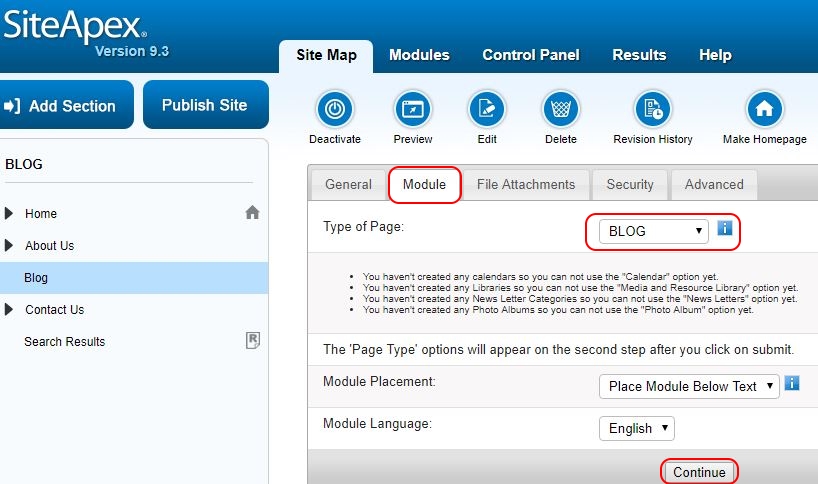
Now you will need to add your new blog to a page on your website. You can do this by editing a page in your sitemap.
- Create a new Section, Category or Page in the Site Map or open an existing page for editing.
- Click on the module tab.
- In the "Type of Page" drop down box, select BLOG and click "Continue" at the bottom of the page.
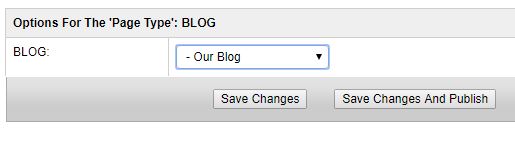
- You will be prompted to select the Blog you wish to add.
- Select the Blog you have just previously created and click "Save Changes" to Publish later or "Save Changes and Publish" to make it live.
 Posted by
training @ 12:00 am
Posted by
training @ 12:00 am
Comments
Login to post comments.
 Subscribe to RSS
 instagrampage
 youtubechannel